
Native macOS network monitor
See every byte
your Mac sends.
Live bandwidth for every app. Every connection, with a name and a place. Blocking that actually blocks. All without a system extension.
- macOS 15 or later
- Apple silicon & Intel
- — downloads
Early release. Not officially launched yet, so macOS asks you to approve it once. How to install · New in 1.1

Features
Everything on the wire, in one window
Remon reads what macOS already knows about your network and shows all of it, as it happens.
-
Bandwidth per app
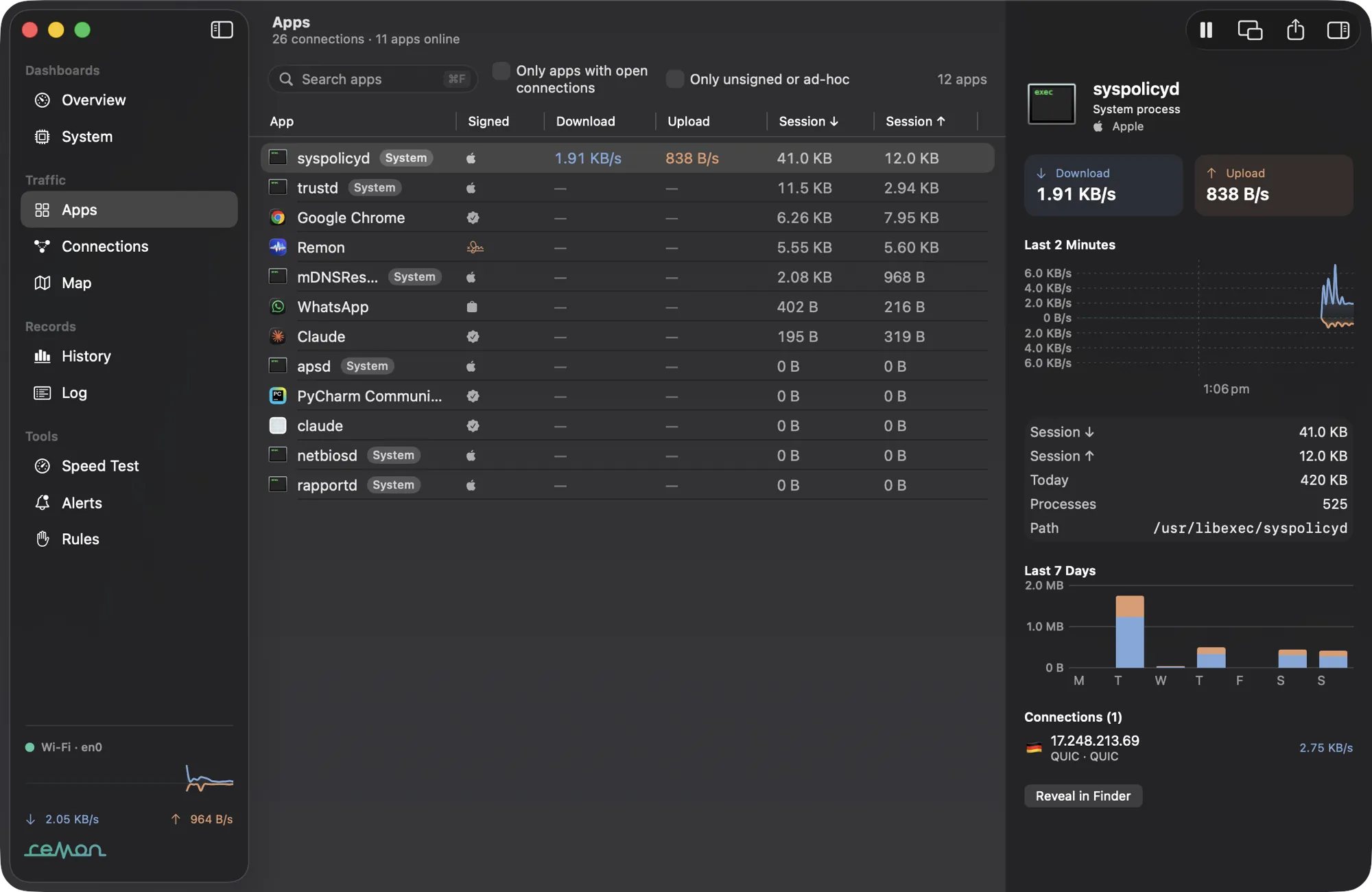
Live download and upload for every process, root daemons included, with helpers folded into their parent app.
-
Every connection, named
Hostname, country, city and network owner on each socket, plus protocol, TCP state and round-trip time.
-
History and a log
Per-minute usage and every closed connection, kept in SQLite on your Mac. Searchable, exportable, yours.
-
Speed test with a verdict
Apple's own
networkQuality, then a plain answer: is this line good for 4K, video calls or gaming? -
Blocking that blocks
Domains through
/etc/hosts, servers throughpf. The same tools macOS already trusts, no extension required. -
Lives in the menu bar
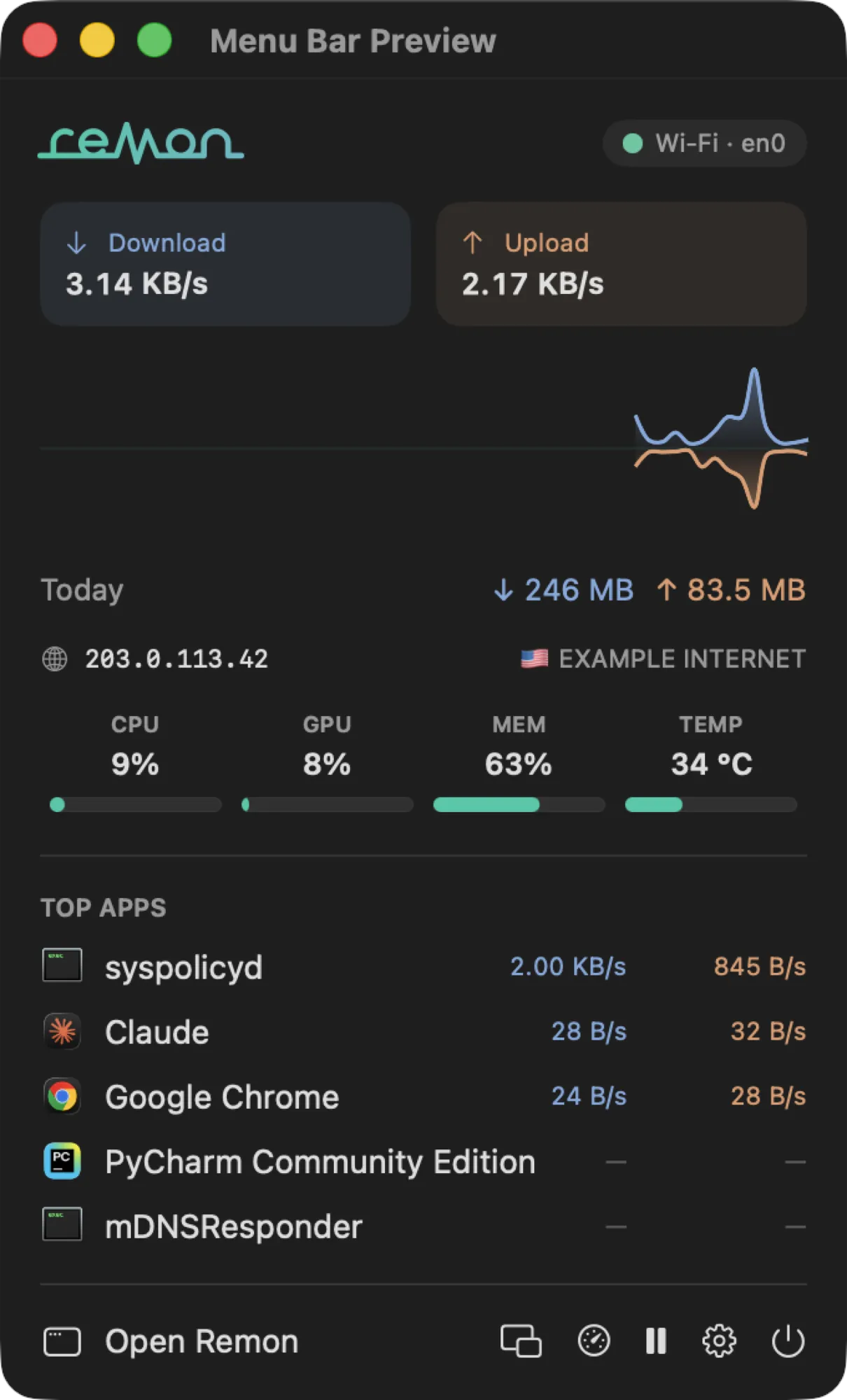
A live mini-graph beside the clock and a panel with today's totals, your top apps, CPU, GPU and temperatures.
Screens
Ten sections, all live
Captured from the running app with real traffic. Nothing here is a mock-up.
Menu bar
Mostly, you'll see it here
A live graph beside the clock, drawn to match the menu bar in light and dark. Click it for a sixty-second chart, today's totals and your five busiest apps. ⌘K opens anything, and ⌃⌥⌘R brings Remon up from any app.

Privacy
No account. No telemetry.
No analytics.
Your history lives in a file on your Mac and never leaves it. The one outbound request Remon makes is to look up the country of a server you're talking to — it sends that server's public address, never yours — and you can switch it off during setup.
- Nothing in the packet path
- No kernel or system extension
- No third-party packages
- Open source on GitHub
Install
Up and running in a minute
Remon is an early release that hasn't officially launched, so it isn't signed by Apple yet. It takes one extra click the first time. Here is exactly what to do.
Remon-<version>.zip · macOS 15 or later · Apple silicon & Intel · all releases
- Total downloads
- —
- Latest version
- Not yet released
What's new in 1.1
Release notesA polish release for the main window, mostly in full screen. If you have 1.0, replace it with 1.1 and approve it once more the same way.
- No ghost corners in full screen. Hiding the sidebar no longer leaves two stray arcs at the top left of the window.
- The wordmark moved to the sidebar. It now sits at the bottom, under the live rates, instead of in the full-screen toolbar.
- A steadier background. A brightly coloured wallpaper no longer tints the whole window, whether it's full screen or not.
- More room at the top in full screen, so the sidebar and page headers no longer sit against the edge of the display.
This build is not signed with an Apple Developer ID. macOS will refuse to open it the first time and say it cannot check it for malicious software. Step 4 below is how you let it through. If you would rather not, build Remon from source in a few minutes.
-
Download the zip
Click Download for macOS above. The file lands in your Downloads folder.
-
Unzip it
Safari unzips it for you. In other browsers, double-click the zip to get
Remon.app. -
Move it to Applications
Drag
Remon.appinto your Applications folder before opening it. Running it from Downloads causes extra security prompts. -
Let macOS open it
Double-click Remon. macOS blocks it and says it cannot verify the developer, so click Done. Open System Settings, go to Privacy & Security, scroll down and click Open Anyway next to Remon. Confirm once and a short setup follows.
Only the first launch needs this. From Terminal you can instead run
xattr -dr com.apple.quarantine /Applications/Remon.app.
This build does not update itself, because automatic updates need a signed release. Watch the releases page and install new versions the same way.
Or build it from source
Needs Xcode 26 on macOS 15 or later. Paste this into Terminal, then press ⌘R in Xcode.
Builds you compile yourself don't update automatically. Pull and rebuild for new versions.
$ git clone https://github.com/AbdulWajid768/remon.git
$ open remon/Remon.xcodeprojQuestions
Before you install
Why does it ask for my password?
Only when you apply blocking rules. Writing to /etc/hosts and pf needs an administrator, so macOS shows its standard prompt. Monitoring never needs it.
Does it install a system extension?
No. Remon reads what macOS already reports, so there's nothing to approve and nothing in the path of your traffic that could break your connection.
Can it block a single app?
Not yet. That needs a Network Extension entitlement from Apple. Remon blocks domains and servers for every app instead.
Why isn't it on the App Store?
Reading other apps' network activity isn't allowed inside the App Store sandbox. Releases come straight from GitHub instead. They aren't signed with an Apple Developer ID yet, so macOS asks you to approve Remon the first time you open it.
Why does macOS say it can't verify the developer?
Remon isn't signed with an Apple Developer ID, which needs a paid Apple membership. Nothing is wrong with the app: macOS shows that warning for every app it can't trace to a paying developer. Use Open Anyway in System Settings under Privacy & Security, or build it from source so you compile the code yourself.
How do I uninstall it?
Remove any blocks in Rules, quit Remon, and drag it from Applications to the Trash. To delete its history too, remove ~/Library/Application Support/Remon.